

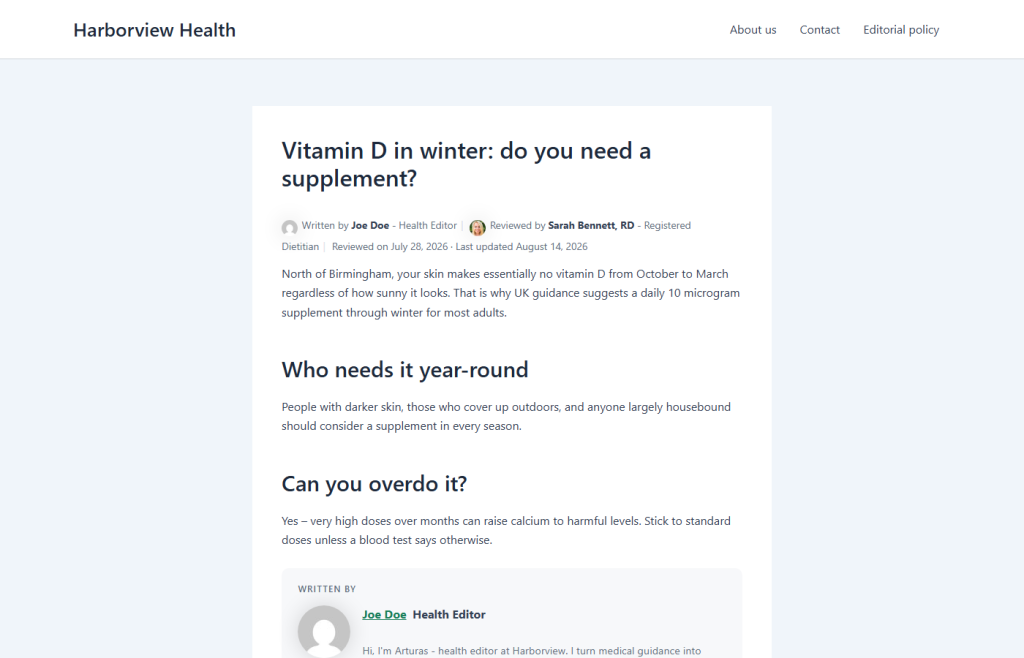
If you publish health content, showing a qualified reviewer is one of the clearest E-E-A-T signals you can add. Here is how to do it properly – visible byline plus machine-readable schema – using the free Reviewed By plugin.
Why “medically reviewed by” matters
For YMYL topics, Google wants to see who stands behind the content. A named reviewer with real credentials, plus the matching structured data, is exactly that signal.
Step 1: install Reviewed By
Install the plugin from your Plugins screen and activate it. No configuration is needed to start.
Step 2: add your reviewer
Create a reviewer with their name, photo, job title, qualifications and registration number (for example a GMC number).
Step 3: assign and publish
Pick the reviewer on any article. The byline and reviewedBy schema go live immediately, and it works alongside Yoast or Rank Math.